
Google Business Profile · Local SEO · Tradies
How to Get Google Reviews on Autopilot (a System for Tradies)
Executive Summary
Key takeaways: what you'll get from this guide
- A four-step review system you can run after every job without reinventing the ask
- When to ask (and when to wait) so the request feels natural, not pushy
- Copy-ready SMS and email wording that stays inside Google's rules
- How to automate the trigger with notes, QR cards, or job software
- What never belongs in an "autopilot" system: incentives, fake reviews, on-site phone pressure
Getting Google reviews on autopilot means you have a repeatable trigger after good jobs so asking for a review is a habit, not a memory test on Friday night. It does not mean buying stars or bribing customers.
This post is the ops system. For why reviews move the Maps pack and full reply templates, see Google reviews for tradies. For bad or fake review damage control, see how to respond to a bad Google review.
A few numbers that explain why the system matters:
93% of consumers say online reviews impact purchase decisions 1.
Most people check online reviews before hiring a local service 2.
The top three map positions capture most trade search clicks, and review recency is a major prominence signal 3.
What Does "Autopilot" Mean for a Solo Tradie?
It means four things happen the same way every time:
- You finish a job the customer is happy with
- A request goes out within a few hours (SMS is usually best)
- The link opens your Google review form, not a Facebook page
- You reply to every new review within 48 hours
You still do real work. The system removes the "I forgot to ask" failure mode.
Action: Pick one trigger you will never skip: mark job complete in your app, or send the SMS before you leave the driveway.
When Should You Ask?
| Situation | Ask? | How |
|---|---|---|
| Job finished, customer smiling, invoice clear | Yes | Short SMS with review link within 1–2 hours |
| Small snag still open | Wait | Fix first, then ask |
| Angry or disputed job | No | Resolve offline; never fish for a five-star |
| Repeat customer who already reviewed | Soft optional | Thank them; do not nag weekly |
Best window: same day, while the result is visible. Casual verbal ask on site is fine. Handing them your phone and standing over them is not 4.
What Wording Works (and Stays Inside Google's Rules)?
Keep it short. Ask for an honest review. Do not trade discounts for stars.
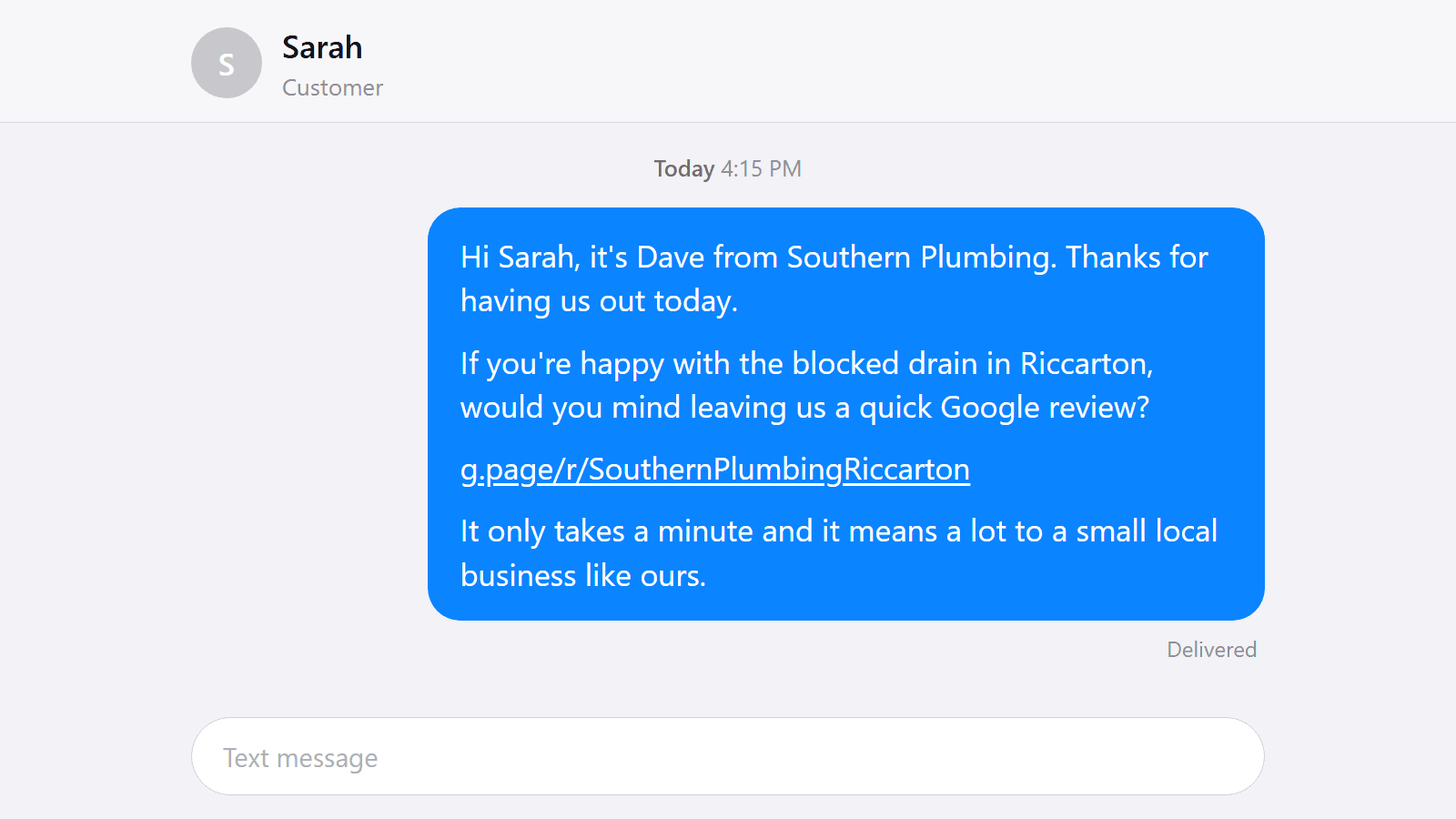
SMS (copy and adapt):
G'day [Name], thanks for having me out in [Suburb] today. If you're happy with the [job], a quick Google review would help other locals find us: [review link]. No worries if you're busy. Cheers, [Your name]
Email subject: Quick favour if you have a minute
Mentioning the suburb helps local relevance. Do not ask them to name a staff member. Do not offer gift cards, waived call-outs, or "free box of beers for five stars" 4.
Full strategy and reply templates: Google reviews for tradies.
How Do You Build the System in Under an Hour?
1. Get your direct review link
From your Google Business Profile, copy the short review URL (or use a QR that opens it). Save it in your phone as a favourite.
2. Save the SMS as a template
Phone text replacement, or your job app's message template. Fill name, suburb, job type in ten seconds.
3. Pick a trigger
- Manual: after every paid job, send before you drive off
- QR card: leave a card with "Happy with the work? Tap to review"
- Software: ServiceM8, Fergus, Simpro, or similar can fire a request when a job is marked complete (ServiceM8 is NZ-origin and common on Kiwi vans)
4. Block reply time
Twice a week, open Google and reply to anything new. Maps habits: get into the Google Maps top 3.
What Should Never Be on Autopilot?
- Buying reviews or "review packages"
- Asking mates who never hired you
- Incentives tied to leaving a review
- Filtering so only happy customers get the link (Google wants honest feedback)
- Ignoring one-star reviews while you chase five-stars
If something goes wrong, handle it with the bad review guide, not with a fake five-star flood.
How Do You Know the System Is Working?
Track for 90 days:
- New Google reviews per week (busy season target often 2+ when work is steady)
- Share of reviews that mention a suburb or job type
- Reply rate (aim for every review)
If volume is flat, the ask is not firing. If volume rises but Maps is still quiet, check listing completeness and distance with a free Google listing audit.
Want Help Wiring Reviews Into Your Online Presence?
Made 4 Tradies builds sites that show live Google reviews and pairs them with a listing that is worth reviewing.
- Free Google listing audit: review profile, Maps visibility, photos. PDF in 24 hours.
- Free website audit: whether your site shows proof and converts the call.
No call required. Prefer to talk it through? Book a call.
Frequently Asked Questions
Can I automate Google review requests as a tradie?
Yes. Automate the trigger and the link. Do not automate fake praise or paid stars. SMS after a completed job is the simplest system most solo tradies need.
Is it against Google's rules to ask for a review?
Asking for an honest review is allowed. Offering incentives, pressuring someone on a device on site, or asking them to name staff in the review is not.
What is the best time to send a review SMS?
Within one to two hours of finishing a job the customer is happy with. Same day beats a week later.
Do I need expensive software for review automation?
No. A saved SMS template and a direct review link work. Job software helps when you already use it to close jobs.
How many Google reviews should a tradie aim for each week?
Consistency beats spikes. In busy periods, two or more new reviews a week is a useful target. Quiet weeks happen; keep the ask habit anyway.
Will reviews alone get me into the Maps top 3?
Reviews are a major prominence lever, not the whole game. Pair them with a complete listing, honest service areas, and a site that converts. See the Maps top 3 guide for the rest.
References:
- [1] Podium, 2017 State of Online Reviews
- [2] BrightLocal: local review behaviour research
- [3] Google Business Profile Help: how local results are ranked
- [4] Google Business Profile Help: policies for representing your business (reviews)
Published by Made 4 Tradies. Built by online experts who understand tradies. Serving New Zealand from Hawke's Bay across the country.
Free Google Listing Audit
See exactly what's costing you visibility on Google.
A real human goes through your Google Business Profile against the checks in this guide. You get a PDF with specific issues, specific fixes, ranked by impact.
No call. No pitch. No obligation. Turnaround within 24 hours.
Get my free Google listing audit →Want your website checked too? Free website audit →