
Local SEO · Google Business Profile · Tradies
What Photos Should Actually Go on Your Google Business Profile
Executive Summary
Key takeaways: what you'll get from this guide
- The photo slots Google actually gives you, and what each one is for
- What to put there if you have no shopfront, which is most tradies
- Why a drip of new shots beats a dump of forty on day one
- Why geotagging photos before upload does not move Maps
- A two-minute end-of-job list, then a pointer to the phone-shooting guide for technique
Google Business Profile photos are the pictures on your listing: your logo, your cover, and the job, team and van shots customers scroll before they call. They are not your website gallery, and they are not a geotagged ranking trick.
This post is about which slot gets which shot. How to take a decent photo on your phone, and why stock shots kill trust, already lives in tradie website photography. The setup walkthrough is in the Google Business Profile guide. Use this one when the listing exists and the gallery is still a logo plus a blurry ute.
A few numbers worth knowing:
42% more direction requests and 35% more website clicks is what Google published for listings that have photos, versus listings that do not, from a 2014 Oxera study they still cite 1.
11 photos is the median on listings that have any photos at all, in BrightLocal's Google My Business Insights study. Most trades sit near that number, not at a hundred 2.
At least three at-work photos is Google's own minimum for showing the services you actually do, alongside three team shots if you have staff 3.
What Photo Slots Does Google Actually Give You?
Google's help splits photos into a few named jobs. The names in the app move around, but the jobs do not 4 3.
| Slot | What it is for | What a tradie should put there |
|---|---|---|
| Logo | The mark next to your name | Square logo on a plain background. Not a van wrap crop. |
| Cover | The wide image at the top | One honest job or branded ute. Google may still pick a customer photo instead. |
| Exterior | Shopfront from the street | Only if customers visit you. Skip it if they never do. |
| Interior | Inside the premises | Workshop only if it is a real place customers might see. Not your kitchen. |
| At work / job | Proof of the trade | Before and after, tools on the job, the finished switchboard or pipe run. |
| Team | Who turns up | You, or the crew, in workwear. Faces are fine. Kids and customers are not, unless they said yes. |
| Additional / van | Everything else | Signed ute, number plate cropped, suburb in the background if it is honest. |
Google also lets customers add photos. You do not control those. Newest media shows first, and Google says uploads can sit in review for 24 to 48 hours, or stay pending if the profile is not verified 4.
Action: Open Photos on your listing today. Count how many shots are actually yours, and how many are a customer's hallway.
What Should a Service-Area Business Put in the Shopfront Slots?
Most of the tradies we work with have no shop. Google's exterior and interior tips assume a cafe: three angles of the facade, three of the room 3. That is the wrong brief for a plumber who works in other people's houses.
On service-area listings we manage, Google often will not accept interior, exterior or "at work" tags that assume a storefront. The photos still go up as extra shots. The pin does not move. The customer still needs proof you do the work.
Fill these instead:
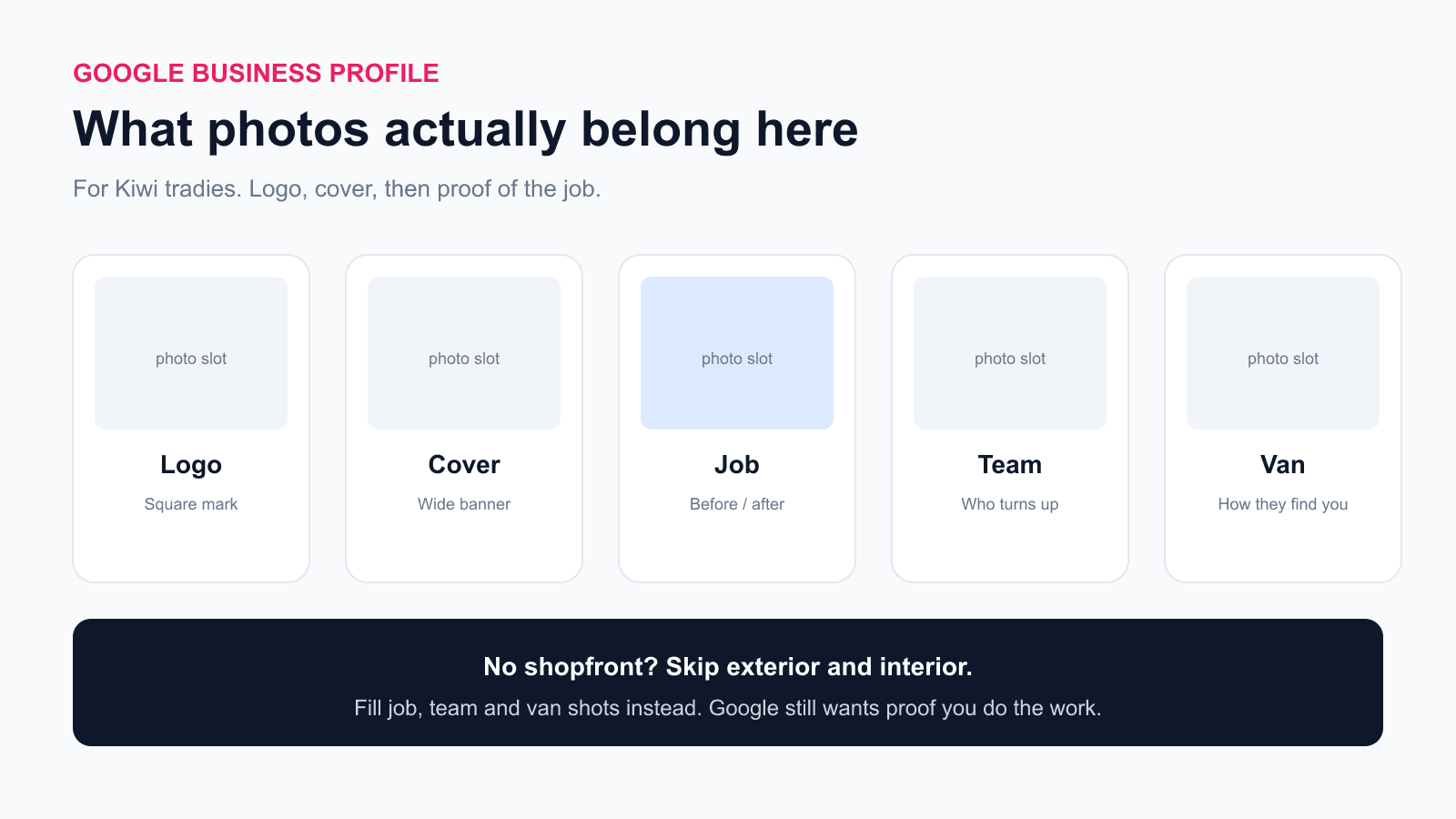
- Cover: one finished job, or the van with your name readable
- Job shots: before and after from the same angle
- Team: you at the van, not a stock "handshake"
- Van: the ute they will look for in the street
Do not photograph a home office and call it a shop. Do not upload a mate's warehouse. If Google asks for a storefront and you do not have one, leave that slot empty and load job proof.
Action: Delete any interior shot of your house. Replace it with one after photo from last week.
How Often Should I Upload, Not Dump?
Google shows newest first 4. A batch of forty from 2023, then silence, looks like a business that stopped. One or two new shots a week looks like a business that is still on the tools.
A workable cadence:
- After the job: two minutes, before you leave. Before and after if the result is visible.
- Weekly: upload one or two keepers, not the whole camera roll.
- Quarterly: take down anything that shows an old van wrap, an expired practising licence, or a house number.
More photos correlate with more calls and clicks in BrightLocal's data, including a large jump past 100 images 2. That is a correlation with busy, well-run listings, not a promise that uploading a hundred stock kitchens will rank you. Real job shots, added steadily, beat a one-off dump.
Action: Put "upload one Google photo" on the same Friday reminder as invoices.
Can I Control Customer Photos?
No. Customers can add photos to your listing. Some will be useful. Some will be a toilet before you arrived, or a neighbour's fence.
Google lets you request removal of customer photos from the Photos tab 4. That is a request, not a delete key. Asking a happy customer to add one of the finished job is allowed if you do not pay them for it and you do not stand over them while they type 5.
Action: After a job you are proud of, text: "If you are happy with it, a photo on our Google listing helps the next customer. No pressure." Same rule as reviews: ask, do not script, do not incentive.
Does Geotagging Photos Before Upload Help You Rank?
No. This one circulates in trade Facebook groups as a Maps hack. Google's photo help never mentions geotags, EXIF, or coordinates as a ranking input 4 3. Google ranks the map pack on relevance, distance and prominence, and distance is measured from the pin they verified, not from a GPS stamp on a JPEG 6.
On listings we upload for clients, a geotagged phone photo has never moved the pin or the pack. Treat geotagging as folk wisdom. Spend the two minutes on a sharper after shot instead.
Action: Leave location services for your own job records if you want. Do not build a ranking plan on EXIF.
What Gets a Photo Taken Down?
Google reviews every upload against its photo rules and Maps content policy 4 5. Common tradie failures:
- Heavy text overlays, phone numbers, or "CALL NOW" banners
- Stock imagery, or AI shots that do not represent the real job 3
- Logos pasted over someone else's work
- Faces of customers or kids without consent
- House numbers, street signs, or a neighbour's property in frame
- Anything that reads as an ad rather than a picture of the place or the work
Google's 2026 photo help also flags excessive AI. A cleaned-up real job is one thing. A generated kitchen you never built is another.
How to shoot, what to crop, and the SMS consent line are in tradie website photography. Do not duplicate that workflow here.
Action: Before you tap upload, crop the house number and any overlay you added for Instagram.
What Should I Shoot in Two Minutes at the End of a Job?
You already have the phone in your pocket. Two shots, same angle:
- After, tight on the work, daylight if you can
- Van or you, only if the street is honest and the plate is cropped
If the before was ugly (blocked drain, smashed tile), you should already have that from when you arrived. Pair them.
Then stop. Do not shoot a twelve-image walkthrough of the customer's house. Upload the keepers that week.
Action: Make the after shot part of packing the van, the same way you photograph a completed switchboard for your own records.
Want Someone to Review Your Google Photos?
Made 4 Tradies offers a free Google Business Profile audit for New Zealand trade businesses. We look at Maps visibility, reviews, photos, and how your gallery compares with local competitors.
- Free Google listing audit: Maps ranking, reviews, photos, competitive benchmarking. PDF in 24 hours.
- Free website audit: mobile speed, conversion, local signals. PDF in 24 hours.
No call required. No pitch. Just a straight read on what is costing you work.
Frequently Asked Questions
What photos should I add to my Google Business Profile as a tradie?
Logo, cover, then proof of the work: before and after, team, and the van. Skip exterior and interior if customers never visit a shop.
How many photos does a Google Business Profile need?
Google asks for at least three at-work photos and three team photos where they apply. BrightLocal finds the median listing has 11. Quality and recency beat a dump of old files.
Do Google Business Profile photos help you rank on Maps?
Photos help customers choose you and they are part of a complete listing. Google has not published photos as a Maps ranking lever on their own. Distance still comes from the verified pin.
Should I geotag photos before I upload them to Google?
No. Google's photo help does not mention geotags, and a GPS stamp on a file does not move your Maps pin.
Why are my Google photos still pending?
Google says media can take 24 to 48 hours, and pending also happens when the profile is not verified. Duplicates are another common miss.
Can I delete a photo a customer added to my Google listing?
You can request removal. Google decides. You cannot moderate the gallery the way you moderate your own website.
Are stock photos allowed on a Google Business Profile?
Google wants photos that represent reality. Stock and heavy AI edits are a policy risk and they look like every other listing. Use real jobs.
What if I do not have a shopfront photo?
That is normal for a service-area tradie. Leave the shopfront slots empty and load job, team and van shots instead.
References:
- [1] Google, Summer is for Road Trips: Get Discovered by Customers On the Go (citing Google/Oxera, December 2014)
- [2] BrightLocal, Google My Business Insights Study
- [3] Google Business Profile Help, Tips for business-specific photos
- [4] Google Business Profile Help, Manage your Business Profile photos and videos
- [5] Google Maps, Prohibited and restricted content
- [6] Google Business Profile Help, How Google uses information from your Business Profile
Published by Made 4 Tradies. Kiwi-owned, run by a Hawke's Bay local. Serving Auckland, Christchurch, Hawke's Bay, and nationwide.
Free Google Listing Audit
See exactly what's costing you visibility on Google.
A real human goes through your Google Business Profile against the checks in this guide. You get a PDF with specific issues, specific fixes, ranked by impact.
No call. No pitch. No obligation. Turnaround within 24 hours.
Get my free Google listing audit →Want your website checked too? Free website audit →