
Websites · Photography · Tradies
Tradie Website Photography: Why Stock Photos Kill Conversions
Executive Summary
Key takeaways: what you'll get from this guide
- Why stock photos make homeowners scroll past your site and call someone else
- What "good enough" job photography looks like from a phone (no studio needed)
- A simple shot list: before, during, after, you on site, van, proof
- Privacy rules under the Privacy Act 2020 so you do not upset a customer
- How the same photos feed your website, Google Business Profile, and quotes
Tradie website photography is the set of real job, van, and people photos that prove you do the work you advertise. It is not a stock library of perfect kitchens and generic hard hats that could belong to any business in New Zealand.
Customers decide in seconds whether you look like a real local tradie or a template. For the wider conversion checklist, see what a good tradie website looks like. For which pages those photos sit on, see what to put on a tradie website.
A few numbers that matter:
98% of consumers agree that authentic images and videos are pivotal to establishing trust with a brand 1.
Almost 90% of consumers want to know whether an image was created with AI, so fake "job shots" are getting riskier, not safer 1.
Local service search is heavily mobile, so your photos have to read clearly on a small phone screen in a driveway 2.
Google also wants Business Profile photos that are in focus, well lit, and represent reality, not heavily filtered or AI-altered fiction 3.
Why Do Stock Photos Kill Conversions for Tradies?
Because the homeowner is not buying a product off a shelf. They are inviting a stranger into their house with tools.
A stock plumber in a spotless white kitchen signals "marketing". A slightly imperfect phone photo of your cleared drain in their suburb signals "this person has done this job before". Stock also creates a second problem: your competitor can buy the same image. When three Hamilton sparkies share the same handshake photo, nobody looks trustworthy.
Stock is fine for a temporary placeholder while you gather real shots. Leaving it as the permanent homepage hero is how you get quiet phones.
Action: Open your homepage on your phone. If the main image could sit on any tradie site in New Zealand, replace it this week with one real job.
What Photos Should a Tradie Website Actually Show?
Prioritise proof over polish:
- Before and after of the same job (same angle if you can)
- During shots that show process (switchboard open, trench cut, tiles laid)
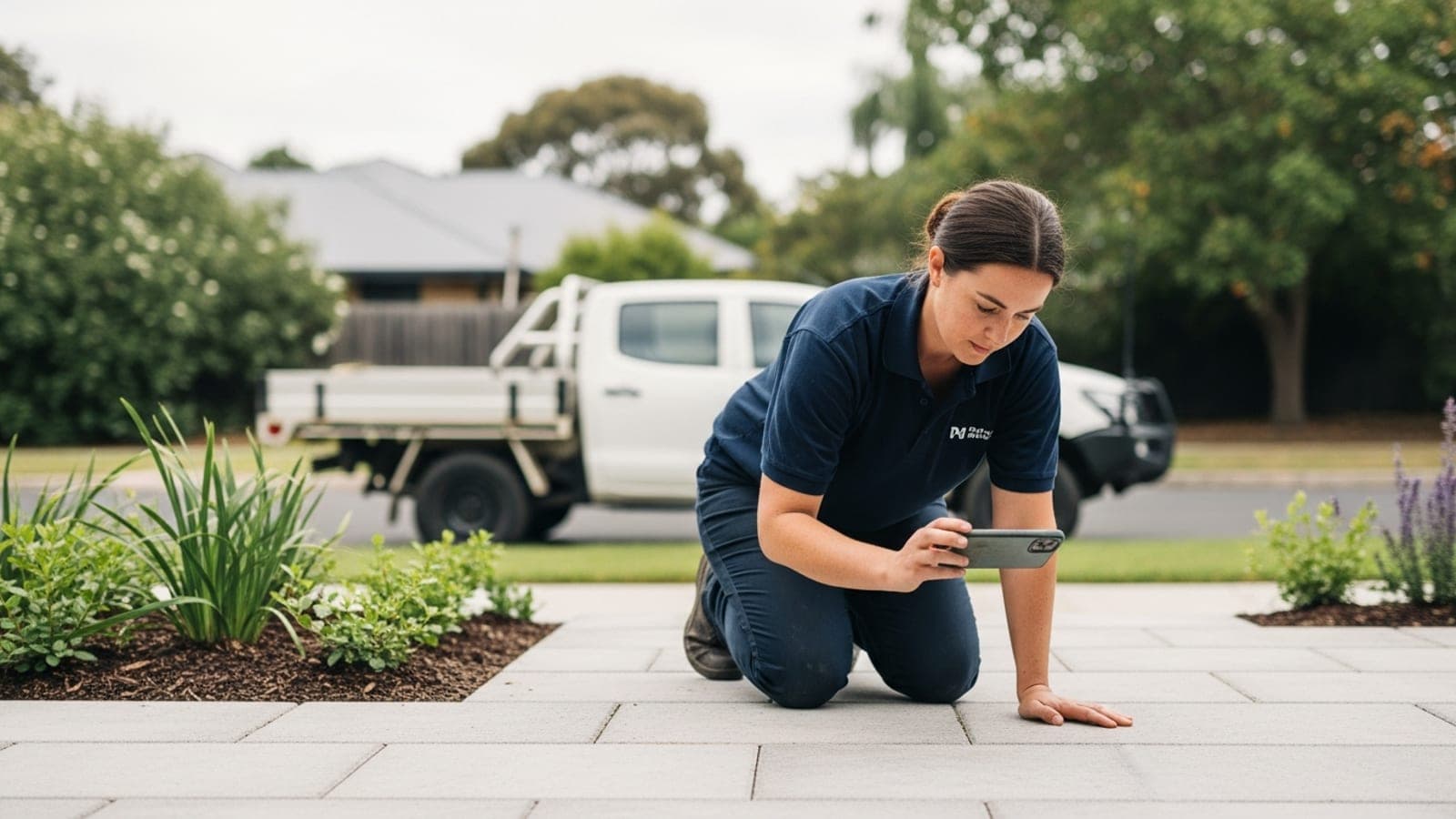
- You or your crew on site (faces build trust; uniforms help recognition)
- Completed work in context (the room, the roof line, the driveway)
- Van or ute with readable signage (recognition when you arrive)
- Practising licence or insurance certificate with personal details cropped (where relevant)
Aim for at least three strong jobs on the homepage gallery, then more on each service page. Suburb pages need local-looking work when you have it, not the same three stock images repeated.
Action: After your next three jobs, leave with six photos each (before, mid, after × two angles). That is a month of website and listing content.
Do I Need a Professional Photographer?
Usually no for maintenance trades. A modern phone in daylight beats a costly shoot that never gets updated.
Hire a photographer when:
- You sell high-ticket visual work (kitchens, landscaping, pools, renovations) and one portfolio shoot will sell for years
- You need a clean headshot and branded van shot for ads
- You refuse to photograph your own work and the gallery is empty
Even then, keep shooting phone updates after every job. Fresh photos beat a stale professional set from 2019.
Action: Set a phone album named "Website" and drop every usable job shot into it before you leave site.
How Do I Shoot Usable Photos on a Phone?
Keep it boring and repeatable:
- Shoot in daylight when you can; turn on lights indoors rather than using heavy filters
- Hold the phone landscape for website heroes, portrait for Stories and short posts
- Step back so the whole job is in frame; then take one closer detail
- Wipe the lens (tradie fingerprints kill sharpness)
- Avoid faces of kids, open mail, family photos, and house numbers unless the customer is fine with it
- Do not add fake AI "enhancements" that invent a different kitchen
Google's own guidance for Business Profile photos is the same idea: in focus, well lit, representing reality 3.
Action: For the next job, take the before shot as soon as you arrive, before tools hit the floor.
What About Privacy and Permission?
In New Zealand the Privacy Act 2020 covers sole traders and small businesses as well as bigger firms. Inside a home, ask. A one-line text is enough: "Happy for me to use before/after photos from today on the website and Google? I'll hide house numbers." Keep the yes.
Blur or crop:
- Letterboxes and street numbers
- Kids and visitors
- Personal documents and family photos on fridges
- Neighbouring properties if the customer is sensitive
Public-facing work (fence from the street, roof from the footpath) is usually lower risk, but still use common sense.
Action: Add the permission text to your job-complete checklist next to the review ask.
Where Should the Same Photos Live?
Reuse one good set everywhere so your brand looks consistent:
| Place | What to use |
|---|---|
| Website homepage | Best after shots + one of you |
| Service pages | Jobs for that service only |
| Google Business Profile | Fresh uploads weekly when you can 3 |
| Quote emails / PDFs | One relevant after shot |
| Facebook / Instagram | Same jobs, short caption |
This is the visual half of the trust stack next to reviews. For the review system, see Google reviews on autopilot. For listing setup, see the Google Business Profile guide for NZ tradies. For which Google photo slot gets which shot, see GBP photos for tradies.
Action: Upload three new job photos to your Google Business Profile this week, then mirror the best one onto the matching service page.
Can AI Generate Job Photos Instead?
AI can invent a beautiful bathroom that is not yours. Customers are getting better at spotting that, and many want transparency when an image is AI-made 1. For a tradie selling real work, fake jobs are a trust tax.
Use AI for moodboards or rough layout ideas if you want. Do not put synthetic "completed jobs" on the homepage or Google listing. Google asks Business Profile photos to represent reality 3.
If you are weighing AI for the whole site build, read can AI build your tradie website.
Want Someone to Review Your Site Photos and Pages?
If your site still leads with stock, we will tell you straight what to swap and where the phone is getting lost.
- Free website audit: mobile speed, conversion, local signals, proof gaps. PDF in 24 hours.
- Free Google listing audit: Maps ranking, reviews, photos, competitive benchmarking. PDF in 24 hours.
No call required. No pitch. Just a straight read on what is costing you work.
Prefer to talk it through? Book a call.
Frequently Asked Questions
Do stock photos hurt my tradie website?
Yes, when they replace proof. Homeowners compare quotes and trust. Generic stock makes you look like a template, not a local operator who has done the job before.
Are phone photos good enough for a tradie website?
Yes for most maintenance trades. Daylight, focus, and a clear before/after beat a polished stock kitchen every time. Update often so the gallery stays current.
How many job photos do I need before I rebuild my site?
Three strong jobs is enough to stop looking empty. Keep adding after each booking so service pages and Google stay fresh.
Should every service page have different photos?
Ideally yes. A blocked drain page with solar panel photos trains the wrong expectation. Match the photo to the job the page sells.
Can I use customer photos they send me?
Only with clear permission, and check quality and privacy first. Your own before/after set is usually cleaner and more consistent.
Do photos help Google rankings?
Helpful pages with real local proof tend to earn more trust and engagement. Photos alone are not a ranking cheat code, but empty or misleading galleries hurt conversion even if you rank.
Should I watermark every photo?
A small logo is fine. A giant watermark across the job looks insecure and hard to read on mobile. Prefer clear shots and consistent branding elsewhere.
What if I hate being in photos?
Lead with job results and van shots. Add one clear face photo when you can; many customers still want to know who is turning up.
References:
- [1] Getty Images: Building Trust in the Age of AI (VisualGPS)
- [2] Think with Google: local mobile search statistics
- [3] Google Business Profile Help: tips for business photos
- [4] Office of the Privacy Commissioner: your obligations
Published by Made 4 Tradies. Built by online experts who understand tradies. Serving Auckland, Wellington, Christchurch, and surrounds.
Talk To A Real Person
Want us to look at your site and tell you straight?
Book a quick call and we'll tell you what's working, what's costing you calls, and what to fix first. No pitch, no obligation.
A straight read on your website from people who build them for tradies every day.
Book a quick call →Prefer it in writing? Free website audit →